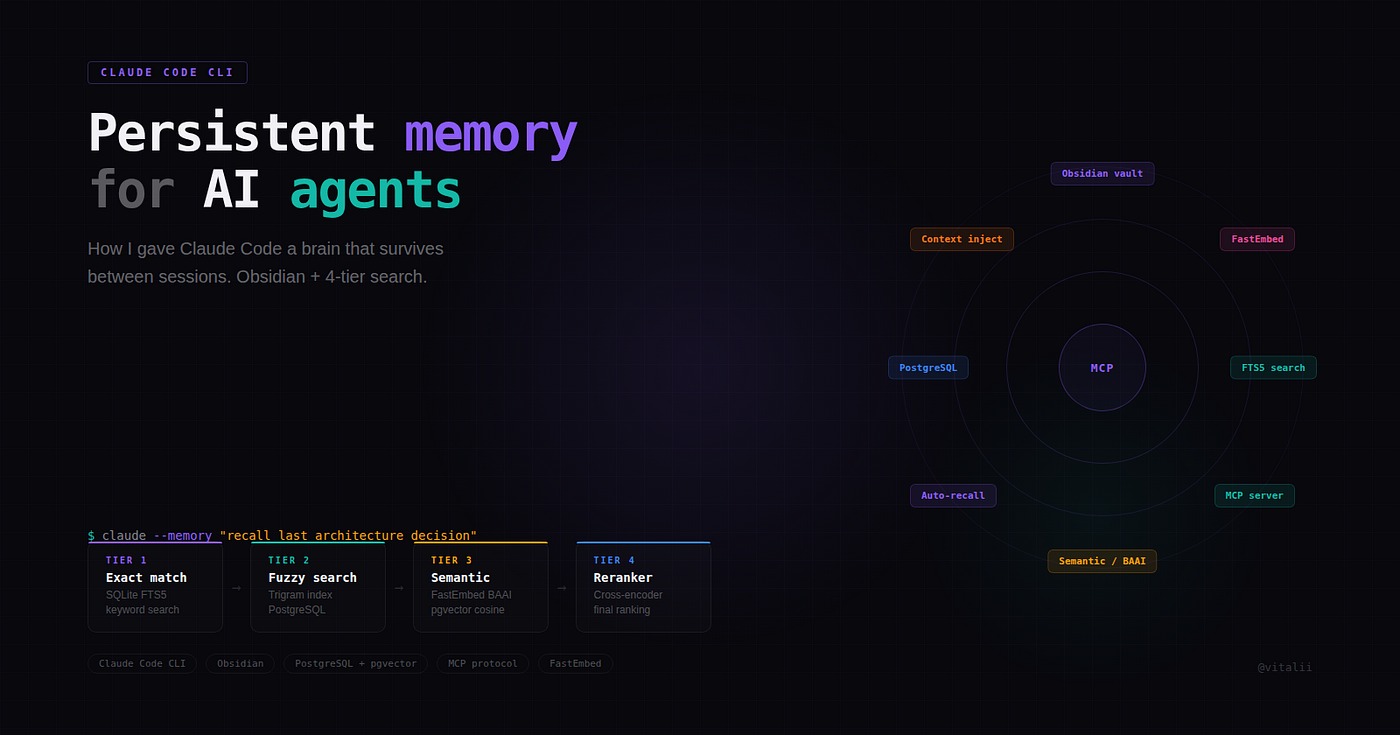
How I built a persistent memory system that makes Claude Code and Codex CLI remember everything across sessions.
It’s 11 PM on a Tuesday. You’ve spent the last three hours deep in a Claude Code session, refactoring a payment service. Claude understands your architecture perfectly — the repository pattern, the middleware chain, the naming conventions you settled on two weeks ago. You type /compact one last time, hit the context limit, and close the terminal.
Wednesday morning. New session. New Claude. It knows nothing.
“What’s your project structure?” it asks. Again.
You explain the architecture. Again. You correct the same mistake it made last Thursday — using map[string]interface{} instead of typed DTOs. Again. You paste the same convention document. Again.
If this sounds familiar, you’re not alone. I spent two months living this loop across 72 projects before I decided to fix it.
The Real Problem: Stateless by Design
Claude Code and OpenAI’s Codex CLI are extraordinary tools. But they share a fundamental limitation: zero persistent memory between sessions. Every conversation starts from scratch.
This isn’t a bug — it’s architecture. These tools are stateless by design. But for anyone doing serious, ongoing development work, statelessness is a productivity killer.
Here’s what you lose every time a session ends:
- Architectural decisions and the reasoning behind them
- Solutions to bugs you already solved
- Project conventions that took sessions to establish
- Mistakes Claude made (and the corrections you provided)
- The mental model of your entire codebase
I got tired of being a human memory bank for my AI assistant. So I built total-agent-memory — an open-source MCP server that gives Claude Code (and Codex CLI, Cursor, Cline, Continue, Aider, Windsurf, Gemini CLI, OpenCode — anything that speaks MCP) a persistent brain.
Website: totalmemory.dev · GitHub: vbcherepanov/total-agent-memory
💡 Update (May 2026): Originally shipped as
claude-total-memory, the project was renamed to total-agent-memory in v12.0.0 to reflect that it works with every MCP client, not just Claude Code. The legacyclaude-total-memorypackage on PyPI now ships as a deprecation shim that automatically pulls intotal-agent-memory>=12.0.0, so existing installs keep working.
What It Actually Does
total-agent-memory is a Python MCP server that sits alongside Claude Code. It provides 32 tools across 6 categories that let Claude save, search, relate, and learn from knowledge that persists forever.
Think of it as upgrading Claude from a brilliant colleague with amnesia to one who keeps a detailed engineering notebook.
Before vs. After
Before (every Monday morning):
You: Continue working on the payment service
Claude: I’d be happy to help! Could you tell me about your project
structure, conventions, and what we’ve done so far?
You: *sighs, pastes 2000 tokens of context*
After:
You: Continue working on the payment service
Claude: [memory_recall(“payment service architecture”)]
Got it. Last session we refactored PaymentService to use the
gateway pattern. The Tinkoff integration is done, Stripe is
next. You prefer constructor injection and the metrics
middleware we set up in internal/middleware/metrics.go.
Let me pick up where we left off.
That’s the difference. No re-explaining. No context pasting. Claude just knows.
The 32 Tools in 6 Categories
1. Core Memory (12 tools)
The foundation. Save and search knowledge with five types: decision, solution, lesson, fact, and convention.
# Claude saves a decision during your session
memory_save(
content=”Use UUID v7 for all primary keys instead of SERIAL.
Reasons: sortable by time, no sequence contention,
better for distributed systems.”,
type=”decision”,
tags=[“database”, “postgresql”, “architecture”],
project=”payment-service”
)
# Next week, different session, Claude searches
memory_recall(
query=”primary key strategy for postgresql”,
detail=”full”
)
# Returns: the exact decision above, ranked by relevanceThe search isn’t just keyword matching. It’s a 4-tier hybrid pipeline:
Query: “docker networking between services”
│
├── Tier 1: FTS5 + BM25 keyword search
│ └── Finds exact matches: “docker”, “networking”
│
├── Tier 2: Semantic search (ChromaDB vectors)
│ └── Finds related: “container communication”, “bridge network”
│
├── Tier 3: Fuzzy matching (SequenceMatcher)
│ └── Catches typos: “dokcer netowrking” still works
│
└── Tier 4: Graph expansion
└── Follows relations: docker networking → compose config → env variables

All tiers fused via Reciprocal Rank Fusion (RRF)
This matters: each tier catches misses the others make, and fusion combines them.
Correction (September 2026): an earlier version of this article quoted a LongMemEval R@5 figure that was withdrawn in total-agent-memory 13.0.0, together with a comparison to another product. The current measurement is 95.1% LongMemEval R@5, taken on v13 through the real store and search path. It is retrieval recall, not answer accuracy, and no ranking against other products is claimed.
2. Self-Improvement (6 tools) — The Killer Feature
This is where it gets interesting. Claude doesn’t just store knowledge — it learns from its own mistakes.
Here’s the pipeline:
Session 1: Claude uses `npm install` inside Docker
→ Hook detects error
→ self_error_log(category=”docker”, error=”running npm outside container”)

Session 3: Same mistake again
→ Error count for “docker” category: 2

Session 5: Third time
→ 3+ errors in same category triggers auto-insight
→ self_insight(“Always run package managers inside Docker containers”)

Insight gains confidence through successful application…

→ Promoted to SOUL rule (importance >= 5, confidence >= 0.8)
→ Rule loaded at EVERY session start
→ Claude never makes that mistake again
The tools: self_error_log, self_insight, self_rules, self_patterns, self_reflect, self_rules_context.
The concept of SOUL rules — persistent behavioral rules that shape how Claude operates — is what makes this more than a database. It’s a feedback loop. Claude literally gets better at working with your codebase over time.
3. Knowledge Graph (4 tools)
Knowledge isn’t flat. Decisions relate to other decisions. Solutions reference the problems they solved. The graph captures these relationships.
memory_relate(
from_id=42, # “Use gateway pattern for payments”
to_id=67, # “Tinkoff API requires idempotency keys”
relation=”context”
)
When Claude recalls the gateway pattern decision, it automatically pulls in related context about Tinkoff’s API requirements. No manual linking needed after the initial relation is set.
4. Episodic Memory (2 tools)
Facts tell you what. Episodes tell you what happened.
memory_episode_save(
content=”Spent 3 hours debugging a race condition in the order
service. Root cause: shared database connection pool
across goroutines without proper context cancellation.
Fixed by adding per-request connection checkout.”,
context=”payment-service sprint 4"
)
When Claude encounters a similar concurrency issue months later, it doesn’t just know the fix — it remembers the debugging journey and the false starts.
5. Skills & Competencies (3 tools)
Claude tracks what it’s good at and where it struggles.
memory_skill_get(skill=”kubernetes-debugging”)
# Returns: proficiency level, last practiced, improvement trajectory

memory_self_assess()
# Returns: strengths, weaknesses, blind spots based on error history
6. Advanced Cognitive Tools (5 tools)
Spreading activation (memory_associate), automatic context building (memory_context_build), observation logging (memory_observe), and on-demand reflection (memory_reflect_now).
Technical Architecture
Under the hood, it’s deliberately simple:
┌─────────────────────────────────────────────┐
│ MCP Server (Python). │
│ │
│ ┌──────────┐ ┌───────────┐ ┌──────────┐ │
│ │ SQLite │ │ ChromaDB │ │ Graph │ │
│ │ FTS5 │ │ (vectors) │ │ Engine │ │
│ │ + BM25 │ │ │ │ │ │
│ └──────────┘ └───────────┘ └──────────┘ │
│ │
│ ┌──────────────────────────────────────┐ │
│ │ Privacy Layer (auto-redacts secrets) │ │
│ └──────────────────────────────────────┘ │
│ │
│ ┌──────────────────────────────────────┐ │
│ │ Web Dashboard (localhost:37737) │ │
│ └──────────────────────────────────────┘ │
└─────────────────────────────────────────────┘
Key design choices:
- SQLite FTS5 for keyword search with proper BM25 ranking — no external search engine needed
- ChromaDB for vector similarity with binary quantization for speed
- Decay scoring with a 90-day half-life — recent knowledge ranks higher, but nothing is thrown away prematurely
- Retention zones: active (default) -> archived (180 days, never recalled) -> purged (365 days archived)
- Auto-deduplication via Jaccard similarity (>0.85 threshold) prevents knowledge bloat
- Privacy stripping automatically redacts API keys, JWTs, and email addresses before storage
- Zero external services — everything runs locally. Your code knowledge never leaves your machine.
Works with Both Claude Code AND Codex CLI
Since it’s an MCP server, any tool that speaks the MCP protocol can use it. Configure it once, and both Claude Code and OpenAI’s Codex CLI share the same memory database. Switch between tools without losing context.
Real Numbers from 2+ Months of Daily Use
This isn’t a weekend project I’m theorizing about. It’s been running on my machine in daily production for over two months:
| Metric | Value |
|---|---|
| Active knowledge records | 1,683 |
| Projects tracked | 72 |
| Graph nodes | 1,847 |
| Graph edges | 20,925 |
| Learned skills | 177 |
| Captured episodes | 164 |
The subjective difference is dramatic. Monday mornings went from 15–20 minutes of context restoration to essentially zero. Claude picks up exactly where it left off — not because the session persisted, but because every important piece of context was saved and is instantly searchable.
The Self-Improvement Loop in Practice
Let me walk through a real scenario.
Week 1: I’m working on a Go project. Claude generates a handler with 30 lines of business logic inside it. I correct it — “handlers should be thin, under 15 lines, delegate to the service layer.” Claude adjusts. The correction gets saved as a convention.
Week 2: Different project, same stack. Claude generates another fat handler. The hook catches my correction, logs it via self_error_log. That’s error #2 in the “go-architecture” category.
Week 3: It happens again. Error #3. The system detects the pattern and generates an insight: “Go handlers must be thin (<=15 lines) — delegate all business logic to service layer.”
After several successful applications, the insight promotes to a SOUL rule. Now, every new session starts with Claude knowing this rule. The fat handler mistake stops happening. Not because I reminded it — because it learned.
This is the difference between a tool that stores text and one that actually improves.
Getting Started
Pick whichever fits your stack — all six install paths land you at the same MCP server. Full instructions on totalmemory.dev.
# Node (zero-install via npx)
npx -y total-agent-memory connect claude-code

# Python via uv (fast)
uvx total-agent-memory

# Python via pipx (isolated venv)
pipx install total-agent-memory

# Homebrew (macOS / Linuxbrew)
brew install vbcherepanov/tap/total-memory

# Docker (multi-arch)
docker run --rm -p 37737:37737 -v ~/.tam:/data ghcr.io/vbcherepanov/total-agent-memory:latest

# Manual clone
git clone https://github.com/vbcherepanov/total-agent-memory.git ~/total-agent-memory && cd ~/total-agent-memory && ./install.sh
The npx path also wires the MCP entry into your IDE of choice — connect claude-code, connect codex, connect cursor, connect cline, connect continue, connect aider, connect windsurf, connect gemini-cli, connect opencode.
If you prefer to do it by hand, drop this into ~/.claude/settings.json:
{
  "mcpServers": {
    "memory": {
      "command": "/absolute/path/to/.venv/bin/total-agent-memory",
      "env": {
        "TAM_MEMORY_DIR": "~/.tam"
      }
    }
  }
}
That’s it. Next time Claude Code starts, it has 32 new tools available. Start with memory_save and memory_recall — the rest builds from there.
Limitations (Honest Take)
No project is perfect. Here’s what to know:
- First-session cold start: The memory is empty at first. It takes 2–3 sessions of active use before the benefits compound.
- Storage grows: 1,600+ records take about 50MB with vectors. Not a concern for modern machines, but it’s not zero.
- Claude needs prompting at first: Until SOUL rules build up, you may need to remind Claude to use
memory_recallat the start of sessions. Hooks help automate this. - Python dependency: The server requires Python 3.10+ and a few packages. The install script handles this, but it’s not a single binary.
Why Open Source
I built this for myself. Then I realized every Claude Code user has the same problem. The project is MIT licensed — use it, fork it, modify it, contribute to it.
The memory problem is arguably the single biggest friction point in AI-assisted development today. Context windows keep getting bigger, but they’ll never be infinite. And even if they were, re-loading context every session is wasteful. Persistent memory is the right abstraction.
Try It
If you use Claude Code or Codex CLI for real work — not demos, not toy projects, but actual ongoing development — this will change your workflow.
Star the repo, try it for a week, and see the difference when your AI assistant actually remembers who you are and what you’re building.
Website: totalmemory.dev · GitHub: vbcherepanov/total-agent-memory
License: MIT — free forever.
Vitalii Cherepanov is a software engineer building tools at the intersection of AI and developer productivity. He writes Go and PHP by day and teaches Claude to remember things by night.